Table of Contents
ToggleIntroduction - Why Most Bloggers Struggle with Traffic?
Almost every new blogger faces the same problem:
“I am publishing content, but nobody is reading it.”
Google traffic takes time.
Social media posts disappear quickly.
Paid ads are risky for beginners.
This is exactly where Pinterest becomes powerful. So the main question is how to use pinterest for blog traffic ?
Pinterest is not a social media platform. It is a visual search engine where people actively search for ideas, guides, and step-by-step solutions. Because of this, Pinterest can send traffic to your blog for months or even years – even if your blog is new.
In this guide, you will learn how to use Pinterest to drive blog traffic in a practical, beginner-friendly way that works for the long term.
Benefits of Using Pinterest for Blog Traffic
Pinterest supports stable, long-term blog growth, not short-term hype.
Main benefits of Pinterest include:
- Free traffic without paid ads
- Works even for new blogs
- No follower requirement
- Evergreen visibility
- High-intent visitors
- Supports SEO-friendly content
This is why Pinterest is often the first real traffic source for many bloggers rather than Google.
Pinterest traffic becomes much more valuable when you also build an email list, because email helps you bring visitors back again and again.
How Pinterest Actually Works?
Pinterest works on a very simple system. It is not a Social media post; it is a search engine like Google.
- You have to create a post called a Pin
- then add a clear title and description
- After that link the pin to your blog post
- People usually search on Pinterest
- Your pin appears in results
- They click and land on your blog
Unlike social posts, pins do not expire quickly. A single good pin can continue sending traffic long after you publish it.
For more Details You can Click here about how it works.
Why Pinterest Is Different from Other Platforms
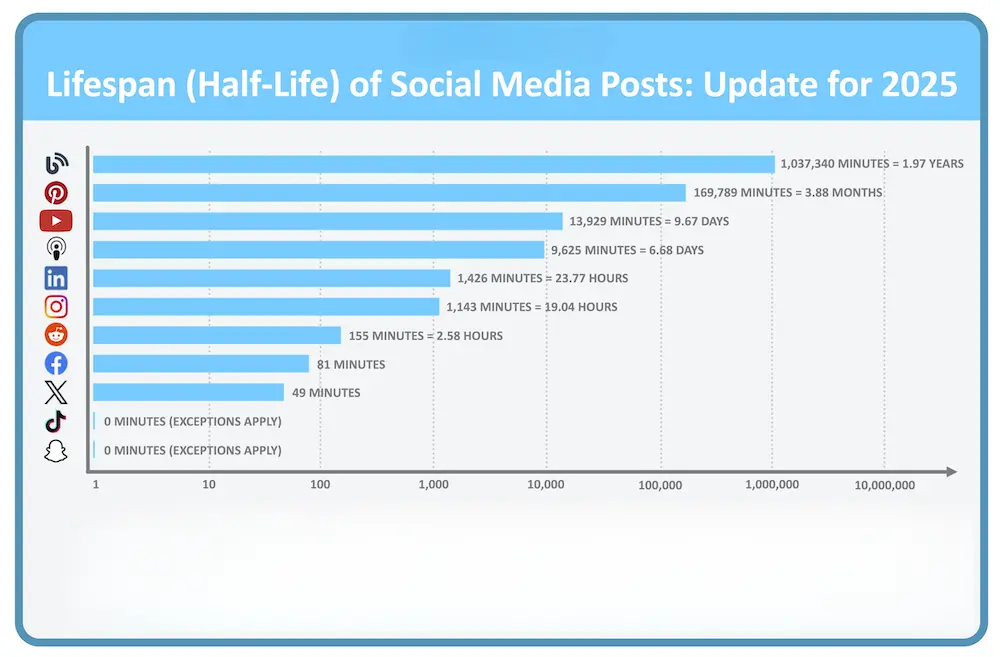
Before learning the steps, you must clearly understand how Pinterest compares with other platforms.
Pinterest vs Instagram vs Facebook (Clear Comparison)
Feature | |||
Platform Type | Visual search engine | Social media | Social media |
Content Lifespan | Months to years | 24–48 hours | Few days |
Traffic Intent | High (search-based) | Medium | Medium |
New Blog Friendly | Yes | Very difficult | Difficult |
Focus | Website clicks | Likes & followers | Engagement |
SEO Influence | Strong | None | None |
Key takeaway:
Pinterest users are already looking for information. That makes Pinterest traffic more valuable and easier to convert for blogs.
Before focusing only on Pinterest, it helps to understand other free ways to promote your blog so you can combine multiple traffic sources together.
Why Niche Clarity Matters for Pinterest Success?
Pinterest works best when your blog has a clear niche.
If your content topics are mixed, Pinterest struggles to understand:
- Who should see your pins?
- What problem does your blog solve?
As a result, your reach and clicks remain low.
This is why successful bloggers finalise their niche first, and only then focus on Pinterest.
After that You’ll see much better results when Pinterest clearly understands your audience.
If you are completely new to blogging, first understand how blogging works and makes money before focusing heavily on traffic strategies like Pinterest.
Step 1: Create a Pinterest Business Account
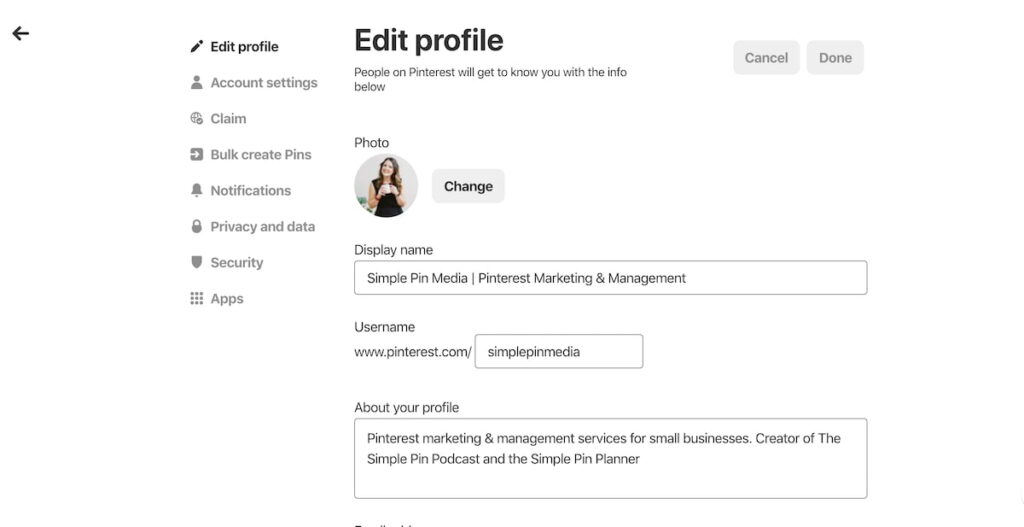
If your goal is blog traffic, a Pinterest Business account is required.
A business account clearly gives you:
- Perfect analytics (impressions, clicks, saves)
- Website claiming feature
- A Better credibility
- It is a Long-term growth tool
Setup takes only a few minutes, but it creates a strong foundation and more clarity about your growth.
Step 2: Claim Your Website on Pinterest
Claiming your website tells Pinterest that you are the owner of your content.
Once your website is claimed:
- Your blog name appears on pins
- Pinterest trusts your links more
- Analytics become more accurate
Many beginners skip this step, but it plays a big role in long-term visibility.
Step 3: Create Pinterest Boards the Right Way
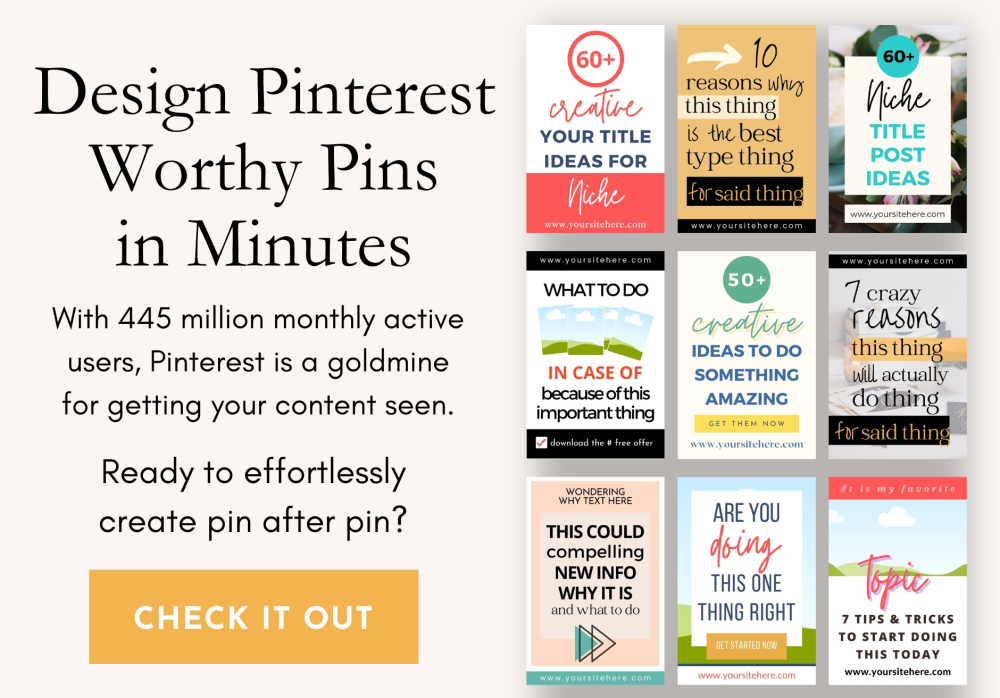
Pinterest boards act like content categories.
it prefers keyword-based board names, not creative or personal labels. So a broad selection is very important for pin ranking.
Here are some good board examples:
- Blog Traffic Tips
- Make Money Online
- Side Hustle Ideas
- Blogging for Beginners
Clear board names help Pinterest understand your content and result faster.
Step 4: Create Pins That Get Clicks
Pin design matters more than follower count. A more attractive pin can give you more traffic.
A high-click pin usually has:
- Pin should be in a vertical format in size (1000 × 1500) px
- Large, readable text for better readability
- One clear promise to your reader
- Clean and simple layout, like protective.
Your goal is not decoration. Your goal is about clarity and results.
Step 5: Use Pinterest SEO in Titles and Descriptions
Pinterest also relies heavily on keywords like Google.
A good pin description:
- It should clearly explain the topic
- Place your main Keyword naturally
- It always focuses on the benefit of clicking
Avoid keyword stuffing. Write like a human explaining a solution to a problem.
To get better results from Pinterest, your blog content must be SEO-friendly, because clear structure and intent help pins perform better in search results.
Step 6: Link Pins to the Right Blog Post
The pin link should be in the right place. Every pin should link to:
- One relevant blog post
- Never on your homepage
- Not unrelated content
This improves user experience, reduces bounce rate, and builds Pinterest trust.
Step 7: Beginner Action Plan (14-Day + 30-Day)
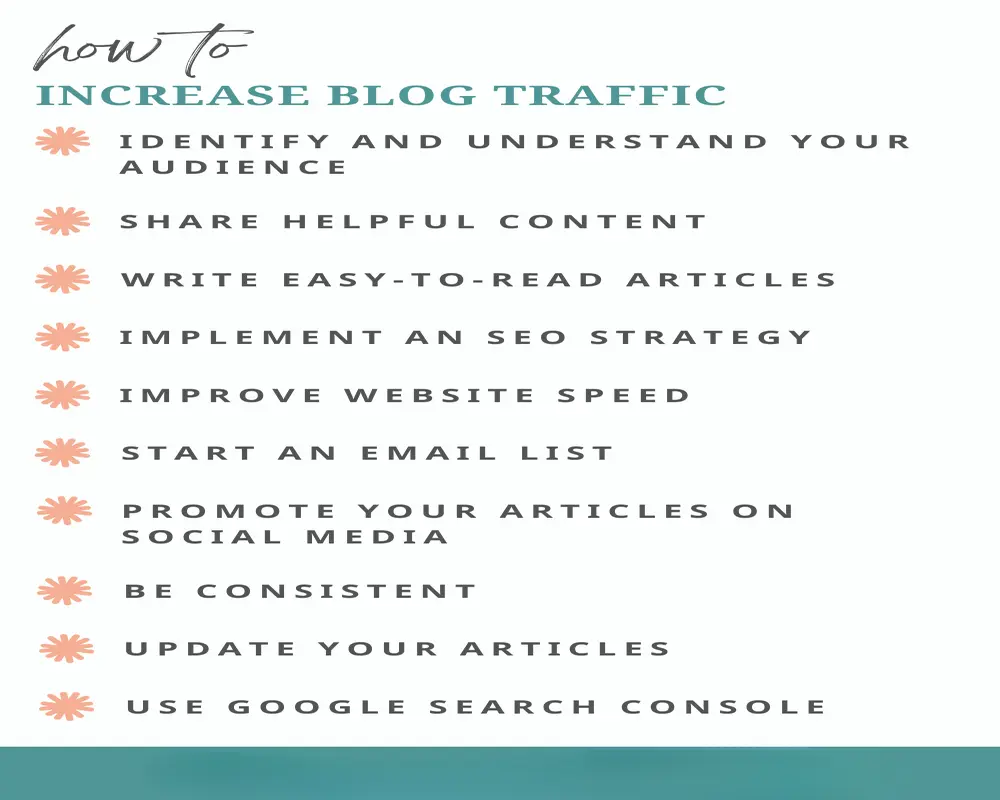
Planning for your pin post is so important.
In the first 14 days:
- Publish 1 pin daily
- Each pin links to a different post
- Focus on learning Pinterest basics
Then for the next 30 days:
- Now Publish 1–2 pins daily
- Create new designs for old posts
- Track clicks, not just impressions
Most bloggers start seeing clicks after 30 – 45 days if they stay consistent.
Real-World Example
Imagine this simple, effective scenario:
- First You can publish 10 blog posts
- You should create 2 pins for each post
- After that, post 1 pin per day
Result timeline:
- In Month 1: impressions increase
- Then Month 2: clicks begin
- As a result, Month 3: steady traffic builds
Pinterest rewards patience, not shortcuts.
Patience and constancy are the main key of successes.
Who Should and Should Not Use Pinterest
Pinterest gives the best results for:
- Bloggers
- Side hustle websites
- Make money online with content
- Tutorials and guides
- Evergreen topics
The Pinterest works especially well for blogs related to side hustles and online income ideas, where people actively search for step-by-step guides.
Also, Pinterest is not ideal for some services, like:
- Local service businesses
- Daily news sites
- One-time viral content
Knowing this always saves you time and frustration.
Common Pinterest Mistakes Beginners Make
- Expecting instant traffic
- Ignoring keywords
- Posting low-quality images
- Being inconsistent
- Quitting too early
Pinterest rewards clarity, consistency, and patience.
FAQs: Pinterest for Blog Traffic
- How long does it take to get traffic from Pinterest?
Pinterest usually takes 30 to 60 days to start sending noticeable traffic. In the beginning, you may only see impressions. With consistency, clicks follow.
- Can a new blog get traffic from Pinterest?
Yes. Pinterest is one of the best platforms for new blogs because it does not depend on domain authority or backlinks like Google does.
- How many pins should I post daily?
For beginners, 1 pin per day is enough. Focus on quality and consistency instead of posting many pins at once.
- Do I need followers on Pinterest to get traffic?
No. Pinterest works on search and discovery, not followers. Even accounts with zero followers can get traffic.
- Is Pinterest better than Instagram for blog traffic?
For blogs, yes. Pinterest traffic is more targeted and long-lasting compared to Instagram, where posts lose visibility quickly.
Final Thoughts - Why Pinterest Is Worth the Effort
Pinterest is not fast.
It is also not flashy.
But Pinterest is:
- Stable
- Predictable
- Long-term
If you are serious about blogging and want traffic without depending only on Google, Pinterest deserves a place in your strategy.
Pinterest success does not come overnight, but it does come with consistency. If you follow the right process and stay patient, Pinterest can support your blog for years.
Are you already using Pinterest, or are you planning to start soon?
Share your plan in the comments – I personally read and reply.

 350+ Blog Guides Published