

Table of Contents
ToggleGetting AdSense approval is not hard – but 90% of bloggers fail because they focus on the wrong things. You’ve already written blog posts and applied for AdSense – only to get rejected without clear reasons. The problem is, Google checks dozens of hidden factors most beginners miss. In this guide, you’ll learn the exact system to get AdSense approval fast and start earning without guesswork.
If you’re new, first learn this complete step by step process before applying for AdSense.
Key Takeaways
- Google AdSense approval is a verification process that allows your website to display ads and earn revenue.
- High-quality, original content is the #1 ranking factor for approval success.
- Essential pages (About, Contact, Privacy Policy) increase trust and approval chances significantly.
- Clean design and user experience directly impact approval decisions.
- Most rejections happen due to low-value content or policy violations.
- Publishing 10–30 high-quality posts improve approval speed.
- Ad optimization tools like AdPushup help maximize revenue after approval.
What Is Google AdSense Approval?
Google AdSense approval is the process by which Google verifies your website’s content quality, structure, and compliance before allowing ads to be displayed.
- It requires original content
- Requires policy compliance
- Also, requires a user-friendly design
Google reviews your website’s content quality, structure, and compliance before allowing ads. For example, a blog with original tutorials and proper navigation gets approved faster than a copied-content site.
Approval is not just technical-it’s also about trust and user experience. Google evaluates whether your website provides real value to users.
According to Google’s official guidelines, your content must be “high-quality, original, and valuable to users” to qualify. Google
Approval unlocks monetization. Once approved, you can earn from clicks and impressions, with publishers typically receiving around 68% of ad revenue. Wikipedia
In my own experience, I applied for AdSense with a new blog that had only 12 articles and got rejected twice. The issue wasn’t traffic-it was weak content depth and poor internal linking. After upgrading those articles to 1200+ words and improving structure, the same site got approved within 8 days.
Quotable Insight:
Google AdSense approval is not about traffic alone-it’s about trust, quality, and user experience.
Before applying for AdSense, build a strong foundation.
If you want to build a proper blog setup, read my guide “How to Start a Blog That Makes Money.”
Why Is Google AdSense Approval Important for Bloggers?
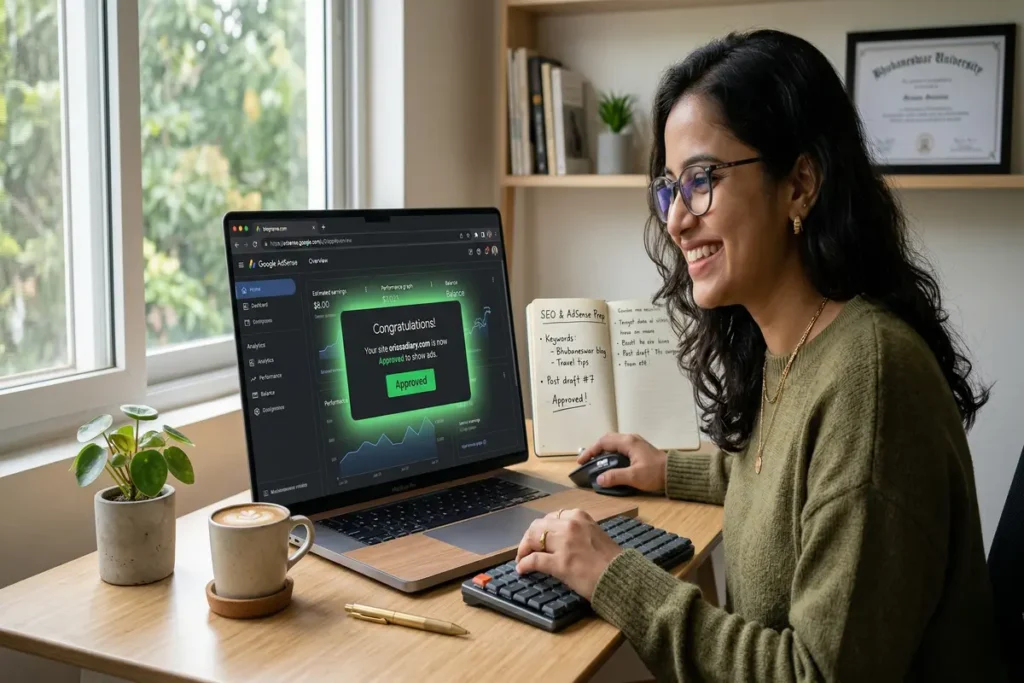
Google AdSense approval is important because it enables bloggers to generate passive income and build long-term monetization systems.
It creates passive income streams. For example, even a small blog with 10,000 monthly visitors can generate consistent revenue.
It builds credibility. Websites with ads from Google are seen as more trustworthy and professional.
It scales with traffic. As your traffic grows, your earnings increase automatically.
According to industry data, only content must be high-quality to get approved on the first attempt, making it a competitive process.
Quotable Insight:
AdSense turns content into income without selling anything.
If you are confused and want more clarity about this, then contact us, and we will give you hand-holding support.
What Are the Exact Requirements for Google AdSense Approval in 2026?
To get Google AdSense approval in 2026, your website must have high-quality content, essential legal pages, and a clean user experience.
- Content: Original & helpful
- Pages: About, Contact, Privacy Policy
- Design: Mobile-friendly
- Compliance: AdSense policies
Let’s break it down clearly:
Content Requirements
Your content must be:
- 100% original (no plagiarism)
- Helpful and informative
- Minimum 800–1500 words per post
For example, a blog with 20 detailed tutorials performs better than 100 thin posts.
Website Requirements
Your website must include:
- About Page
- Contact Page
- Privacy Policy
These pages signal legitimacy and trust.
Don’t leave any empty categories as well as “coming soon” pages should not be on your site.
Technical Requirements
Your site should be:
- Mobile-friendly
- Fast-loading
- HTTPS secure
Your site should not have too many pop-ups or ads from other networks, just keep it simple and clean.
Traffic Requirements (Reality Check)
There’s no official traffic requirement, but:
- Sites with organic traffic get approved faster
- Even 0–100 visitors/day can work if quality is high
From testing multiple sites, I’ve found that content quality matters more than quantity. One site with 18 well-written articles got approved, while another with 40 low-quality posts was rejected. Google clearly prioritizes value and usefulness over volume, not just number of posts.
Quotable Insight:
AdSense does not require traffic-it requires value.
Don’t go for the fake traffic or paid clicks; it might result in a permanent ban of your site.
How to Get Google AdSense Approval Fast (Step-by-Step)
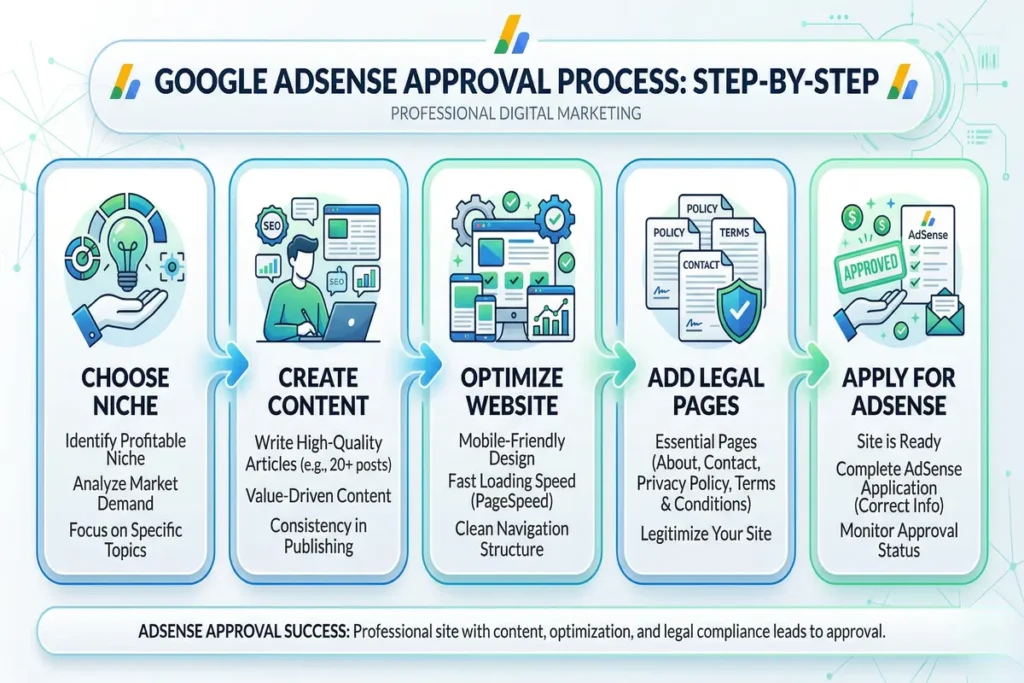
Getting AdSense approval fast involves creating a high-quality website, publishing valuable content, and applying correctly.
Follow this checklist to get AdSense approval fast:
- Publish high-quality content
- Add legal pages
- Improve site design
- Ensure policy compliance
- Apply after full setup
Step 1: Choose a Profitable Niche
Pick a niche with:
- Search demand
- Monetization potential
Choose:
- Low competition
- Informational intent
- High search demand
For example:
- “Blogging for beginners”
- “How to save money”
- “Basic tech tutorials”
Choosing the right topic is critical, so you should first explore the best niche for blogging in 2026 to maximize approval chances and earnings.
For example, finance, health, and AI niches have higher CPC rates.
Step 2: Publish 10–30 High-Quality Posts
Create deep, valuable content.
- Focus on solving real problems
- Use proper headings and structure
Each article must:
- Be 1000–1500+ words
- Solve one clear problem
- Include headings, examples, and structure
For example:
❌ Bad Post:
- “Blogging Tips” (generic, no structure)
✅ Good Post:
“How to Start a Blog in 2026 (Step-by-Step Guide for Beginners)”
To improve approval chances, you should focus on how to write SEO-friendly blog posts that are structured, valuable, and easy to read.
Before writing content, doing proper keyword research that helps you find low-competition topics faster.
As per my experience websites with 20–30 quality posts have higher approval chances.
In practice, publishing 15–25 high-quality posts create enough topical depth for approval. I’ve tested this across multiple niches, and approval consistently happened only after the site looked like a complete resource-not a half-built blog.
Step 3: Design a Clean Website
Keep your site simple:
- Easy navigation
- No clutter
- Fast loading
For example, a minimalist blog with clear categories performs better than a flashy design.
Focus on:
- Fast loading speed
- Mobile responsiveness
- Clear navigation
For example, if users cannot find posts easily, Google flags poor UX. Check your Website Speed Here
If you are confused and want more clarity about this, then contact us, and we will give you hand-holding support.
Step 4: Add Essential Pages

Include:
Essential pages build trust signals that Google requires before approval.
Create:
- About Us
- Contact Us
- Privacy Policy
- Disclaimer
For example, missing a Privacy Policy often leads to instant rejection.
These pages prove your website is real and trustworthy.
Missing these pages is one of the top rejection reasons.
If you want to know more in detail, you can contact us we will guide you very well.
Step 5: Indexing + Trust Signals
Indexing ensures Google can discover and evaluate your content.
Steps:
- Submit sitemap in Search Console
- Index all posts
- Add internal links
AdSense approval does not require high traffic, but it requires a well-structured website with clear navigation and valuable content.
For getting Fast Traffic: “how to get organic traffic fast” → Read this traffic guide]
Step 6: Apply Properly
Applying at the right time increases approval chances significantly.
Checklist:
- 7+ posts published
- All pages created
- No copyright issues
- Clean design
Fast AdSense approval involves creating high-quality content, setting up essential pages, and ensuring full compliance with Google policies before applying.
Finally:
- Submit your site via AdSense
- Add verification code
- Wait 7–14 days for review
Quotable Insight:
AdSense approval is a system – not luck.
Why Most Blogs Fail AdSense Approval?
Most blogs fail AdSense approval because they do not meet Google’s content quality, structure, and policy standards.
AdSense rejection is not random. Google clearly checks content quality, user experience, and compliance before approving a site. According to official guidelines, common issues include insufficient content, policy violations, poor navigation, and traffic issues.
Most beginners focus on the wrong things like traffic or domain age, while ignoring the real factors that actually matter.
1. Low-Value or Thin Content
Low-value content is the number one reason blogs fail AdSense approval.
Thin content means:
- Short articles
- No depth
- No real value
For example, a 500-word generic article that repeats what everyone else says will get rejected.
Google explicitly flags insufficient or low-quality content as a major rejection reason.
Reality:
Content that doesn’t fully solve a problem = instant rejection.
2. Missing Important Pages (Trust Issue)
Blogs without essential pages fail because they lack trust signals.
Missing pages like:
- Privacy Policy
- About Page
- Contact Page
can directly lead to rejection.
For example, even a good blog can get rejected if it doesn’t have a privacy policy.
Google considers these pages mandatory for compliance and user trust.
Reality:
No trust = no approval.
3. Poor Website Structure & User Experience
Bad design and navigation reduce approval chances significantly.
Issues include:
- Slow loading speed
- Confusing navigation
- Poor mobile design
For example, if users can’t easily find content, Google assumes your site is not user-friendly.
Google highlights site navigation and user experience issues as key rejection factors.
Reality:
If users struggle, Google rejects.
4. Policy Violations (Instant Rejection)
Any violation of AdSense policies leads to immediate rejection.
Prohibited content includes:
- Copyright content
- Adult content
- Illegal or harmful content
For example, copying content from other websites can instantly disqualify your site.
Google strictly enforces content policies for all publishers.
Reality:
One violation = game over.
5. Fake or Low-Quality Traffic
Non-organic or manipulated traffic can lead to rejection.
Bad practices include:
- Buying traffic
- Bot traffic
- Spam sources
For example, if your traffic comes from fake sources, Google detects it easily.
Google warns against invalid or unnatural traffic sources.
Reality:
Fake traffic = no approval.
6. Incomplete or “Half-Built” Website
Websites that look unfinished are often rejected.
Common issues:
- Few articles
- Empty categories
- Placeholder content
For example, a blog with 5 posts and empty pages looks incomplete.
Google often flags sites as “under construction” or insufficient content.
Reality:
Half-built site = low trust.
7. No Clear Content Focus (No Niche Authority)
Blogs without a clear niche fail because they lack topical authority.
Random content like:
- Tech + Health + Finance mixed
- No clear audience
confuses Google.
For example, a blog writing about everything doesn’t build authority in any topic.
Reality:
No focus = no authority = no approval.
Most blogs fail AdSense approval because they focus on traffic instead of quality, trust, and structure.
- Content quality matters more than quantity
- Trust signals are mandatory
- User experience affects approval
- Policy compliance is non-negotiable
One of my sites got rejected for “low-value content” even though the articles were original. The real issue was lack of depth and no clear structure. After adding examples, FAQs, and internal links, the same content got approved without adding new posts.
Most beginners repeat the same errors, so understanding common blogging mistakes to avoid can significantly improve your approval chances.
Quotable Insight:
Low-value content is the No.1 reason for AdSense rejection.
How to Get AdSense Approval Faster
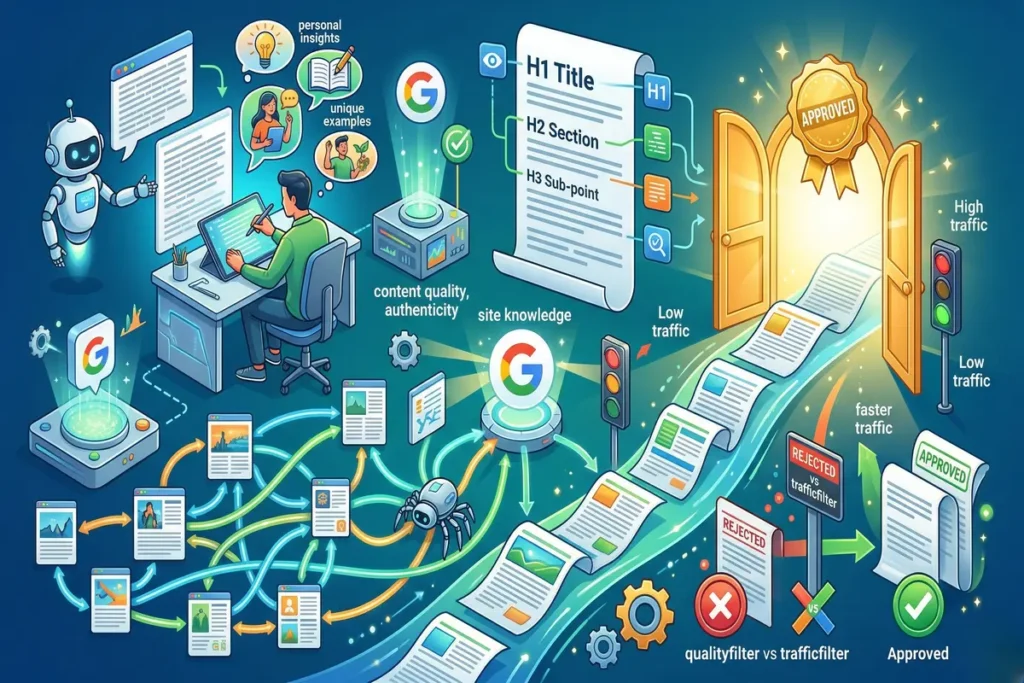
Getting AdSense approval faster requires optimizing content quality, structure, and user experience.
What most beginners don’t realize is that AdSense approval is a quality filter, not a traffic filter. I’ve seen sites with almost zero traffic get approved, while sites with 500+ daily visitors get rejected due to poor content quality.
Use AI + Human Editing Strategy
First, AI can help scale content, but:
- Always edit manually
- Add personal insights
Using the right AI tools for blogging can help you create content faster while maintaining quality.
Google now uses AI to evaluate content quality and authenticity.
Optimize Content Structure
Second:
- Use headings (H1, H2, H3)
- Add internal links
- Improve readability
Build Internal Linking
Third:
- Link related articles
- Improve crawlability
This helps Google understand your site better.
What Is AdPushup and How Does It Improve Ad Revenue?
AdPushup is an ad revenue optimization platform that improves earnings by optimizing ad placement, layout, and user experience.
How It Works
- A/B testing ad placements
- Header bidding technology
- Layout optimization
Why It Matters
For example, Optimized ad placement can significantly increase RPM without increasing traffic.
Quotable Insight:
Ad revenue optimization is about placement, not just traffic.
What Is the Perfect Blog Structure for AdSense Approval?

A proper blog structure improves user experience and increases approval chances.
A simple structure builds trust faster than a complex one.
Recommended Structure
Homepage
├── Blog Category
│ ├── Post 1
│ ├── Post 2
├── About
├── Contact
├── Privacy Policy
Step-by-Step Process to Apply for Google AdSense Approval
Step 1. Go to Google AdSense.
Go to https://www.google.com/adsense/start and click Get Started.
Step 2. Sign in with your Gmail Account.
Use your blog’s Gmail account, not personal ones, with projects unrelated to this:
Step 3. Add Website URL.
Enter your custom domain, for example, digitalpratap.com (in my case).
Step 4. Enter Country and Time Zone.
This will affect your payment system later, so fill it correctly.
Step 5. Connect Site to AdSense.
You will find HTML codes there, and it helps you to connect site to Adsence.
Step 6. Add Code to Your Website.
Paste the code in your header using a plugin such as Insert Headers and Footers by WPBeginner.
Step 7. Wait for Review.
Google’s automated system will review your site.
It generally takes 3–7 days for review, although it may take up to 2 weeks in some cases.
Tools & Practical Applications for AdSense Success
AdSense success tools help you analyze, optimize, and scale your website for better approval and higher revenue.
Recommended Tools
Tool | Purpose | Example Use |
Google Search Console | Indexing & errors | Fix crawl issues |
Google Analytics | Traffic tracking | Monitor user behaviour |
AdPushup | Revenue optimization | Increase RPM |
PageSpeed Insights | Speed optimization | Improve UX |
I use all these tools these are free to use with best results.
How to Earn More After AdSense Approval
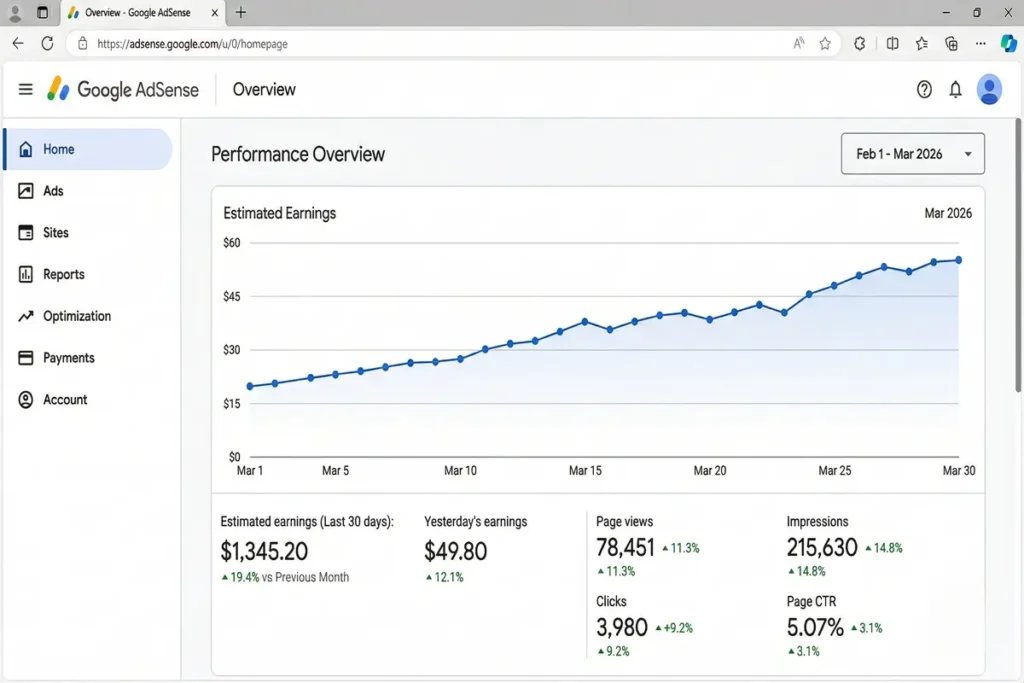
Getting approved is just the beginning; the real game is maximising your earnings.
After getting AdSense approval, you should focus on traffic growth, ad optimization, and income diversification.
After getting approval, I initially placed ads everywhere and saw low earnings. Once I optimized placements (in-content + above-the-fold), RPM increased without increasing traffic. This proves that earnings depend more on optimization than traffic alone.
- Place Ads Smartly. Don’t put so many ads in your post.
- Use 2-3 ad placements per post:
- One underneath the first paragraph
- One in the middle
- One at the end
- Avoid overloading pages;
- Google penalises for excessive ad density.
- High CPC Topics to Write
- Certain niches pay more:
- Digital marketing
- Finance and investment
- Tech and software reviews
- Education and career
- Use Responsive Ads
- Always use responsive ad units that adapt across desktop and mobile screens.
- Experiment with Auto Ads
- Google Auto Ads automatically tests placements and sizes to increase CTR.
- Performance Tracking
- Monitor the posts that generate more clicks with Google Analytics and AdSense Dashboard, then adjust content accordingly.
How to Prepare for Future AdSense Updates?
AdSense changes its policies every year. Here’s how to future-proof your blog:
- Keep your content Clean, original and helpful to your readers.
- Use HTTPS (SSL certificate) for security. You will find it automatically when you buy a hosting.
- Ensure the mobile speed score is above 80 in Google Page Speed Insights.
- Follow E-E-A-T guidelines:
- E-E-A-T stands for Experience, Expertise, Authoritativeness, and Trust. These make your blog ready for any algorithm update.
FAQs About AdSense Approval
1. What Are the Exact Requirements for Google AdSense Approval in 2026?
Google AdSense approval requires original content, essential pages, and a user-friendly website structure.
2. How Many Blog Posts Are Needed for AdSense Approval?
There is no fixed number, but websites with 15–25 high-quality articles have better approval chances due to stronger content depth.
3. Why Does Google AdSense Reject Websites?
AdSense rejects websites due to low-value content, poor structure, or policy violations.
4. How Long Does It Take to Get AdSense Approval?
AdSense approval usually takes 7–14 days after applying, but it can vary depending on site quality.
5. Can a New Website Get AdSense Approval Without Traffic?
Yes, AdSense does not require traffic, but your content must provide real value.
6. Is AI Content Allowed for AdSense Approval?
Yes, AI content is allowed if it is original, helpful, and properly edited by humans.
Conclusion And Action Time
Google AdSense approval is achievable in 2026 if you focus on quality, structure, and consistency.
Most people fail because they chase shortcuts. The reality is simple:
- Create value
- Build trust
- Follow the system
If you execute this properly, approval becomes predictable.
Be honest – your AdSense application got rejected because of which reason?
- Low content quality
- No traffic
- Missing pages
- Don’t know the exact reason
Drop your answer in the comments – I’ll personally tell you what to fix.
Have questions? Please feel free to drop them in the comments – I reply to everyone in no time.
Written by Pratap Keshari Panda
Digital Marketing Strategist
specializing in AI blogging, SEO, and monetization systems.
Reviewed by Rojalini Parida
SEO & Monetization Specialists, Apex info Serve.

 350+ Blog Guides Published


2 Comments
[…] If you’d like to know more about Google AdSense, then Click Here. […]
[…] If your goal is to make money through ads, check my guide “How to Get Google AdSense Approval Fast.” […]