Table of Contents
ToggleIntroduction
Blogging today is no longer just about writing. As a blogger, you need to manage multiple tasks at the same time in this competition Era. That’s why you should learn these best free AI tools for blogging.
You need to:
- Find ideas
- Create content
- Optimize SEO
- Design images
- Promote your posts
For beginners, this can feel confusing and time-consuming.
This is where AI tools become extremely useful for them.
AI tools don’t replace your work – but they make your work faster, easier, and more structured.
For example, instead of spending hours thinking about what to write, AI can help you generate ideas instantly in minutes.
But here is the problem.
Most beginners use AI tools the wrong way. They copy content directly and expect results, which leads to poor-quality blogs that does not rank.
So, the right way is:
Use AI to save time, but always add your own understanding and explanation in it.
In this guide, you’ll learn the best free AI tools for blogging, along with real pros and cons so you can use them properly.
Every online successful story starts with a niche. Start by clarifying your niche. Download My Free Niche Selection Workbook (Simple, beginner-friendly, and practical)
Why Bloggers Should Use these Best Free AI tools for Blogging
Before using any tool, it is important to understand why AI tools matter.
Blogging is a long-term process that requires consistency. The more content you create, the more chances you have to rank on Google.
But creating content manually takes a lot of time.
Blogging required effort + time
AI is equal to speed + efficiency
A beginner might take 4–5 hours to write a single blog post. This makes it difficult to stay consistent. But AI tools help him to reduce this effort.
They assist you in:
- Generating ideas quickly
- Creating structured drafts
- Improving writing quality
For Example, this means you can create more content in less time, which directly helps in growing your blog.
- More content → more traffic → more growth
If you are just starting, first understand how to start a blog and earn money from it, then use AI tools to scale faster.
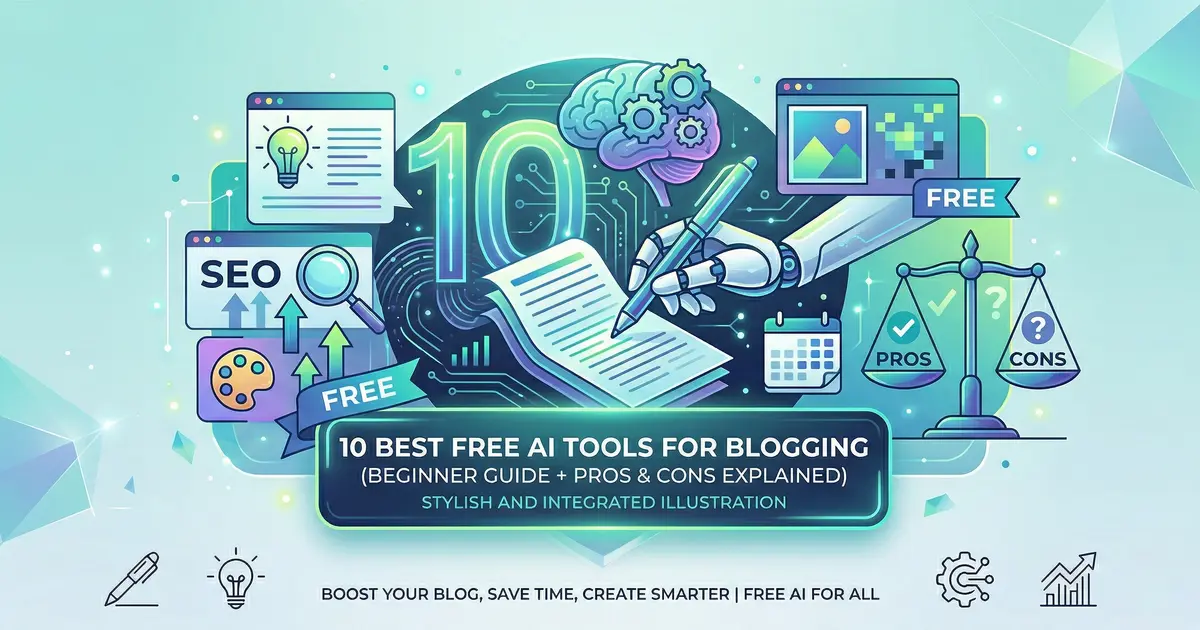
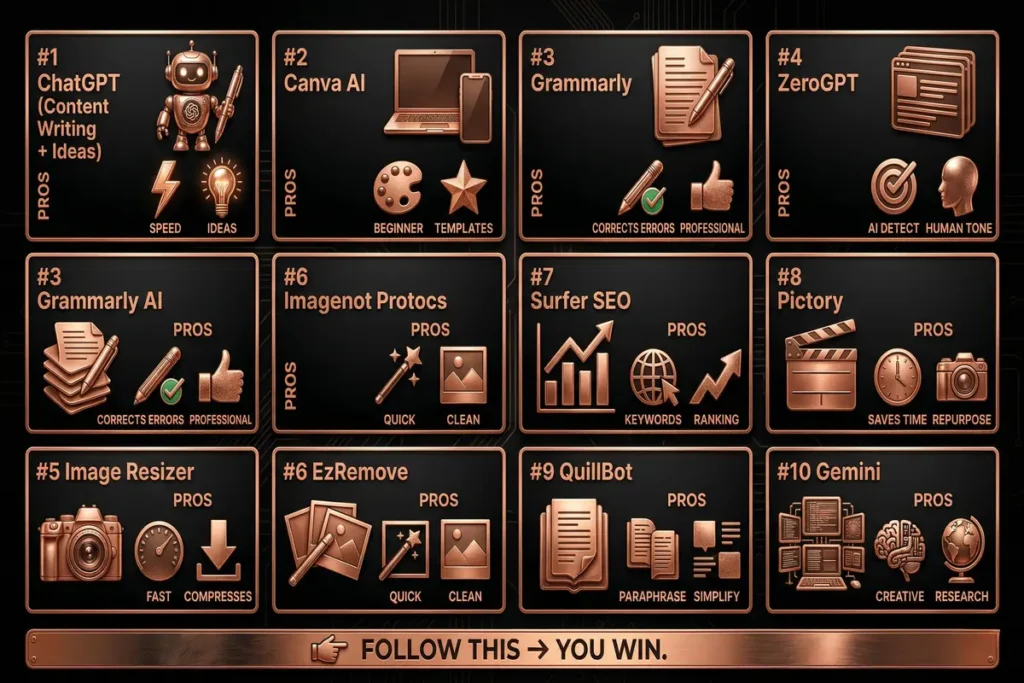
10 Best Free AI Tools for Blogging (With Pros & Cons)
Here are 10 powerful tools for you that I use personally in my every day work.
There are plenty of tools available in internet, but the free features of these tools are sufficient to get started.
1. ChatGPT (Content Writing + Ideas)
ChatGPT is one of the most powerful tools for bloggers, especially beginners.
It helps you move from “I don’t know what to write” to “I have a clear structure” in minutes.
You can use ChatGPT to:
- Generate blog topic ideas
- Create article outlines
- Write first drafts
For example, if you are confused about your next post, you can simply ask for topic ideas in your niche and get multiple suggestions instantly.
However, it is important to understand that the content generated by ChatGPT is only a starting point. Use it when you don’t know what to write or how to start.
Pros:
- Extremely fast idea generation
- Helps overcome writer’s block
Cons:
- Content can sound generic if not edited
- Requires human input for quality
- Best use: idea + draft creation, not final content
I personally use ChatGPT for all my works and I suggest you to try this, it’s very helpful.
You should go through my post How to Make Money Online with ChatGPT (Beginner-Friendly, Practical & Ethical Guide) for better knowledge about ChatGPT.
2. Canva AI (Design + Images)
Visual content plays a big role in making your blog attractive and engaging.
Canva helps you create professional-looking images even if you have no design experience.
You can also edit your videos, can add text in your video with its free video editing feature.
You can use Canva to:
- Create blog featured images
- Design Pinterest pins
- Make social media graphics
For example, instead of using random images, you can create branded visuals that improve your blog’s appearance for making your blog visually attractive.
Pros:
- Very beginner-friendly
- Ready-made templates
Cons:
- limited free features
- Advanced features are paid
- Best use: blog images + social media visuals,
I use it for my Facebook reels editing and add text overlay in my videos.
You can also read this article How to Make Money with Canva (Beginner-Friendly, Practical Guide for 2026) How Canva helps you to earn money Online.
3. EzRemove (Best for Watermark Removal)
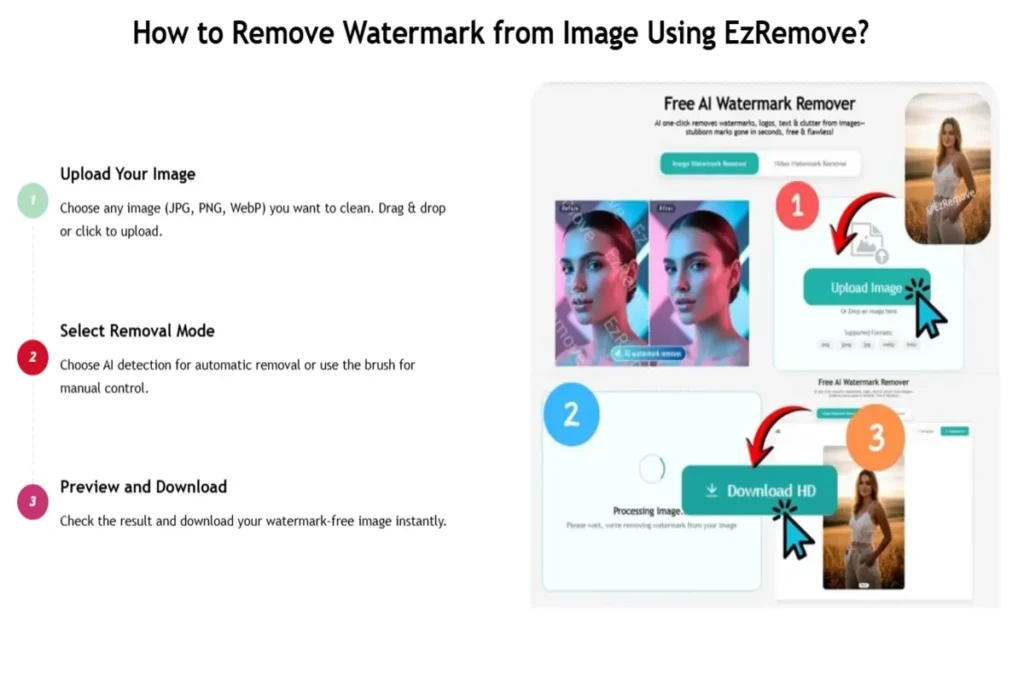
Creating clean and professional images is important for your blog.
ezremove.ai helps you remove image watermark quickly without any design skills.
It saves time and makes your visuals look more polished and attractive.
Pros:
• Fast and easy Watermark removal
• No design skills needed
Cons:
• Limited features in free version enough for a beginner.
• May need manual adjustments sometimes
Best use: I personally use this and it can remove any type of watermark from your AI Image.
4. Grammarly (Writing Improvement)
Even good content can lose value if it has grammar mistakes or unclear sentences.
Grammarly helps improve your writing by correcting errors and suggesting better sentence structure.
When you finish writing your article, you can use Grammarly to polish it.
Pros:
- Improves clarity and readability
- Makes content more professional
Cons:
- Sometimes over-corrects tone
- Premium features limited
- Best use: final error free content polishing
5. ZeroGPT (Best for AI Content Detection)
Many bloggers use AI tools, but they don’t check how their content actually looks.
ZeroGPT helps you understand whether your content appears too AI-generated or natural.
It gives you an idea of how much human touch is needed before publishing.
My recommendation is your AI content should be below 15% AI-generated for better result.
Pros:
• Helps detect AI-generated content
• Useful for improving human tone
Cons:
• Not always 100% accurate
• Can create unnecessary confusion
Best use: It helps for checking and improving content before publishing.
6. Image Resizer (Best for Image Optimization)
After some days of starting, I realize that Images can slow down your website if they are too large.
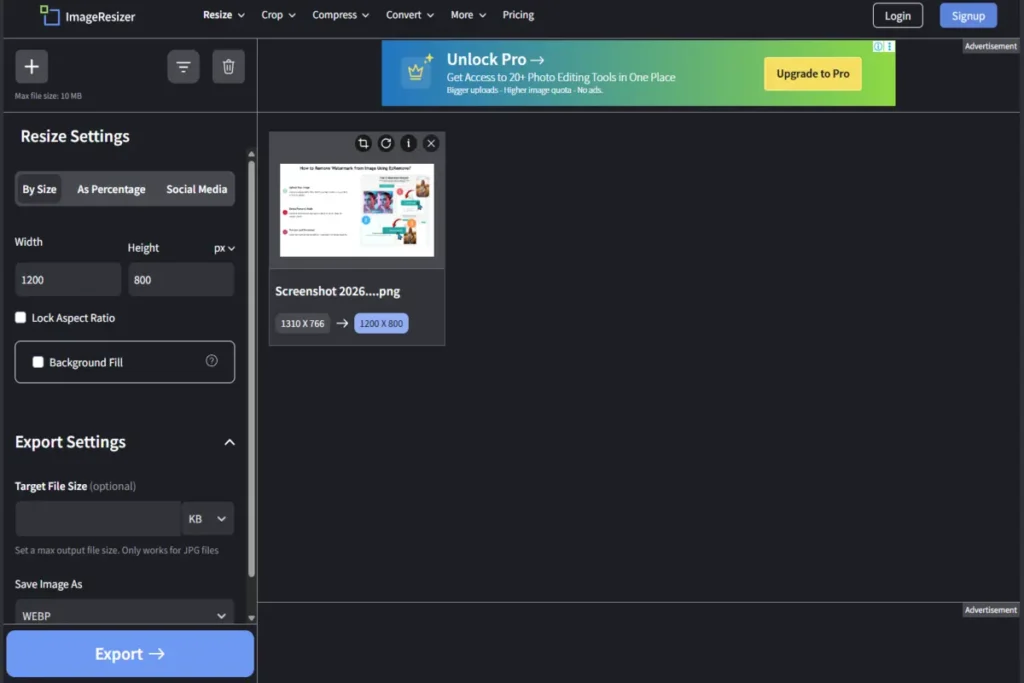
Then I found imageresizer.com that helps me to resize and compress images quickly without losing quality.
It improves your website speed and overall performance.
Pros:
• Easy image resizing and compression
• Improves website loading speed
Cons:
• Limited advanced editing options
• Manual process for multiple images
Best use: optimizing images before uploading to your blog (Recommended size below 100kb, in Webp format)
7. Surfer SEO (Best for SEO Optimization)
Writing content is not enough – it needs to rank on Google.
Surfer SEO helps optimize your content by suggesting keywords, headings, and structure.
This improves your chances of ranking.
Pros:
- Suggests keywords
- Improves SEO performance
- Data-driven suggestions
Cons:
- Not beginner-friendly initially
- Mostly paid tool
- Best use: Use it for SEO optimizing of your blog posts for ranking.
8. Pictory (Best for Video Content)
It allows you to convert your blog content into videos.
This is useful for promoting your blog on platforms like YouTube or social media.
Pros:
- saves time in video creation
- helps in content repurposing
Cons:
- limited free version
- depends on input quality
- Best use: content promotion & converts blog into video for easy access.
9. QuillBot (Best for Rewriting Content)
This is another tool that helps rewrite sentences in a clearer and simpler way.
It is useful when your content feels too complex or repetitive.
Pros:
- improves clarity
- Simplifying content.
- easy to use
Cons:
- may change meaning
- Sometimes not accurate
- Best use: You can edit and rewriting sentences for more quality.
10. Gemini (Best for AI Image /Video Content Creation & Ideas)
Gemini helps me to generate blog ideas as well as Images, write content faster, and improve my overall workflow.
It can create outlines, create protectional images and videos, suggest better content structure, and even help with research in a very quick time.
Pros:
- Fast content generation
- Great for ideas and research
- Beginner-friendly interface
- Easily Image/Video Generation (with Nano banana & VEO3)
Cons:
- Needs editing for human tone
- May generate generic content
- Image/Video with watermark (Can be removed by EzRemove, see section 6)
- Best use: For generating ideas, outlines, and first drafts quickly.
Simple AI Blogging Workflow for Best Free AI tools for Blogging
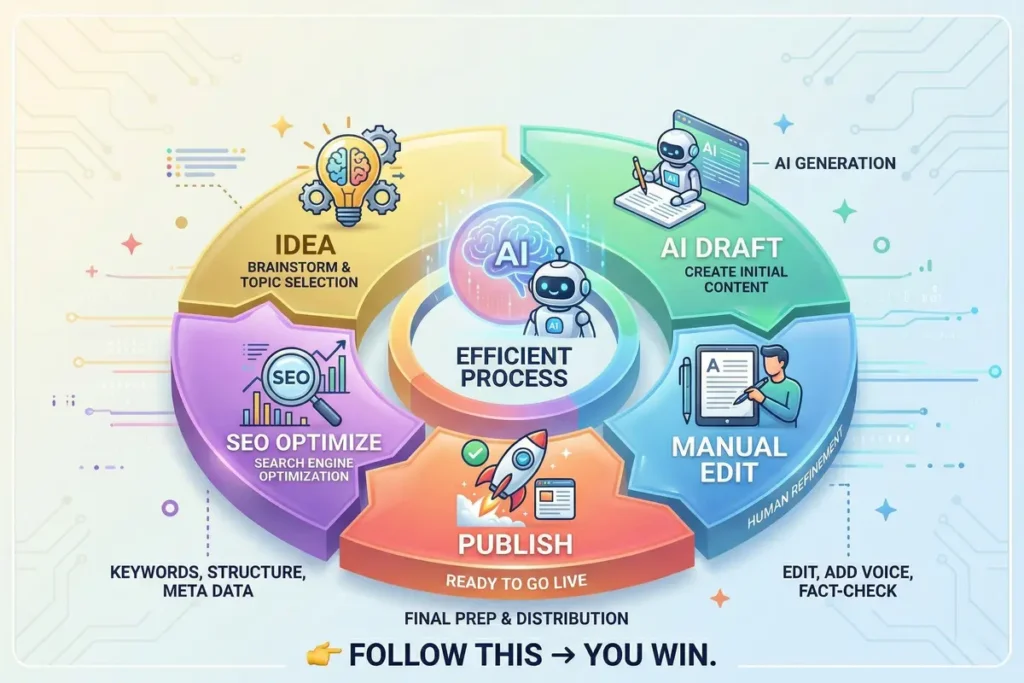
Idea → AI draft → Manual edit → SEO optimize → Publish
Follow this → you win.
You should read this article about How to Write SEO Friendly Blog Posts
AI vs Manual Blogging
AI Blogging | Manual Blogging |
faster content creation | slower process |
requires editing | fully original |
less effort | more effort |
scalable | limited speed |
needs strategy | depends on skill |
Best approach: Same as me you should always use AI for speed and use your own thinking for quality.
Benefits of AI Tools
AI tools make blogging faster and easier, especially for beginners. It helps you to get ideas, write drafts quickly, and stay consistent without getting stuck. You should always need to edit and add your own touch; AI saves time and reduces your effort.
Key Benefits:
- Faster writing and idea generation
- Helps when you feel stuck
- Saves time and effort
- Improves content structure
- Keeps you consistent
As per my experience, AI tools help me a lot for work faster and grow my blog without feeling overwhelmed.
Common Mistakes Beginners Make
Many beginners rely too much on AI and publish content without proper editing. This makes the content look generic and less helpful. AI is a tool, not a replacement for your thinking and experience.
Common Mistakes to Avoid:
- Publishing AI content without editing
- Not adding personal insights or examples
- Using the same tone in every post
- Ignoring SEO basics (keywords, headings)
- Writing for AI instead of real readers
In simple terms, the biggest mistake is depending fully on AI. To grow your blog, always add your own touch and focus on helping people.
Lets understand it in a simple Example
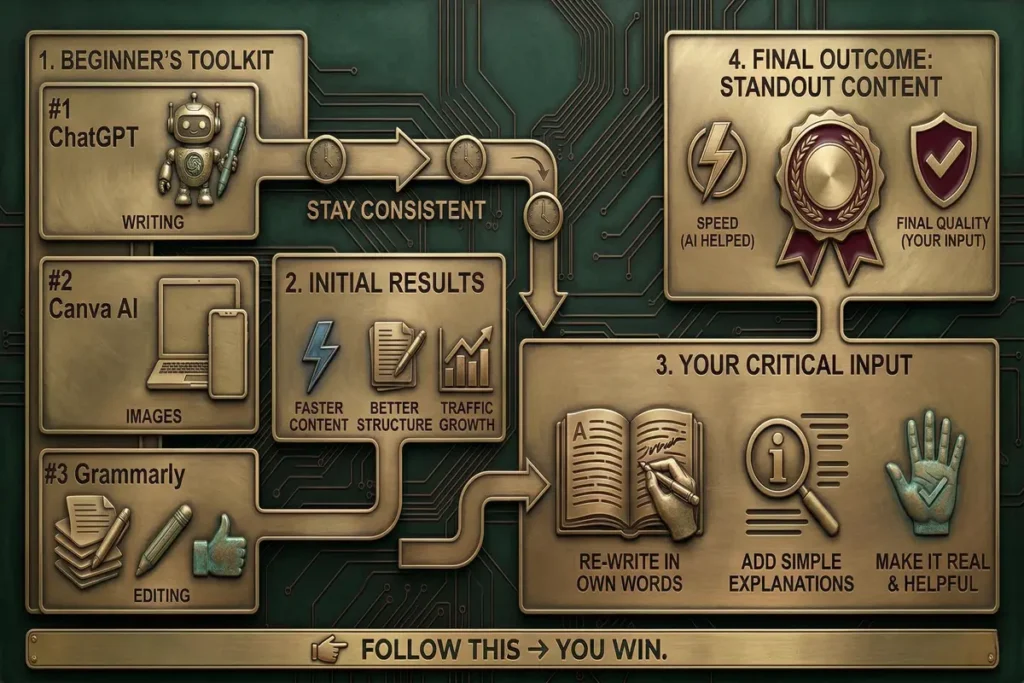
Suppose a beginner uses:
- ChatGPT → writing
- Canva → images
- Grammarly → editing
Then he stays consistent and after some days
Result:
- Faster content
- Better structure
- Traffic growth
Along with this, he also edits the content in his own words and adds simple explanations so it feels more real and helpful. That’s what makes the content stand out.
That means, AI helped him work faster, but the final quality came from his own input and understanding.
Related Articles
Here are some more related posts, you should go through it once.
Niche selection is very much important for online earning. Download My Free Niche Selection Workbook (Simple, beginner-friendly, and practical)
FAQ
Are free AI tools enough for beginners?
Yes, free tools are enough to start. You can upgrade later when your blog grows.
Which AI tool should I start with?
Start with ChatGPT and Canva. These two are enough in the beginning.
Can AI tools help me rank on Google?
Yes, but only if you combine them with SEO and proper editing.
Should I use multiple tools?
No, start with 2–3 tools to avoid confusion.
Is AI blogging safe for the future?
Yes, AI is becoming a standard part of blogging, but your input will always be necessary.
At last the conclusion is AI tools have changed blogging completely.
But tools alone don’t guarantee success.
It is the combination of Strategy + consistency + smart use of AI = growth
If you use AI properly, you can grow your blog faster and more efficiently with these best free ai tools for blogging.
💬 Which AI tool is you using right now? Comment below.